Your calendar,
in your colours.
Hairdresser, physio, tattoo artist, coach or vet, solo or with a team — OwnTime brings your appointments, clients and accounts together in one place. Under your name, your colours, your address.
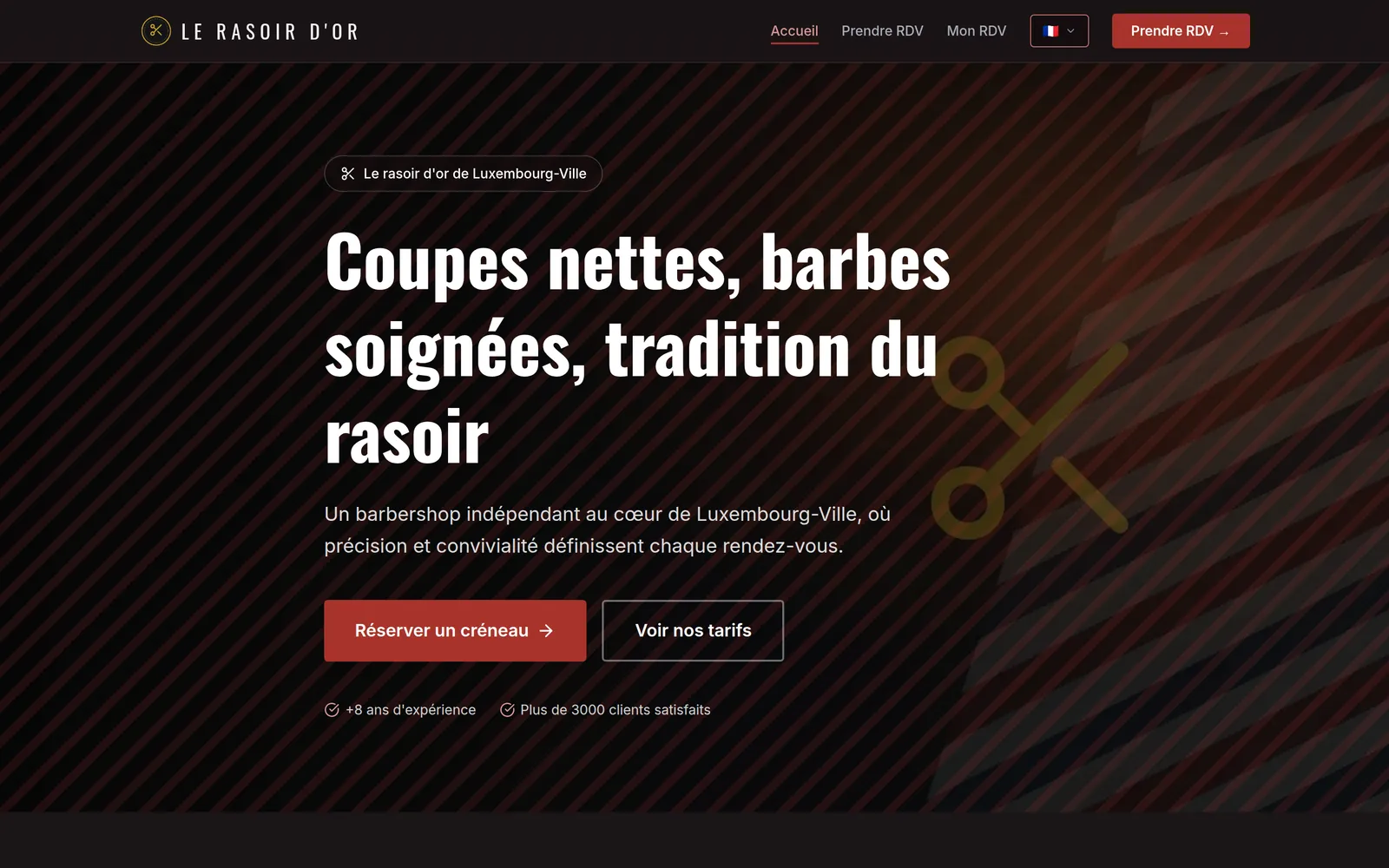
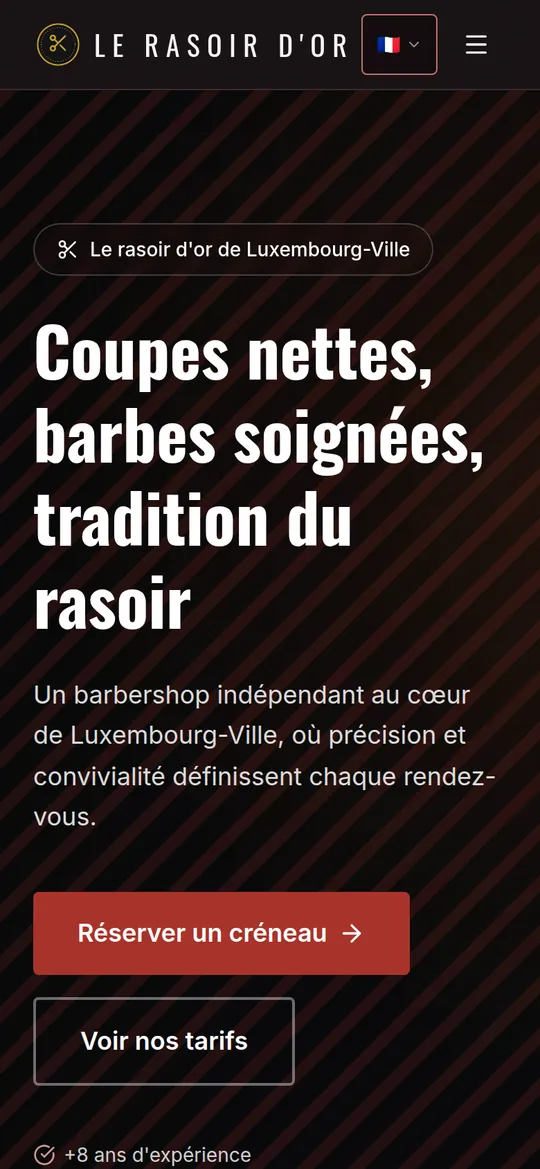
If your day runs on appointments, OwnTime is built for you
The calendar, services, durations and messages adapt to your trade, not the other way round. You choose the wording, the colours and what appears on your home page.
Your trade isn't on the list? It probably still works — let's talk about it.
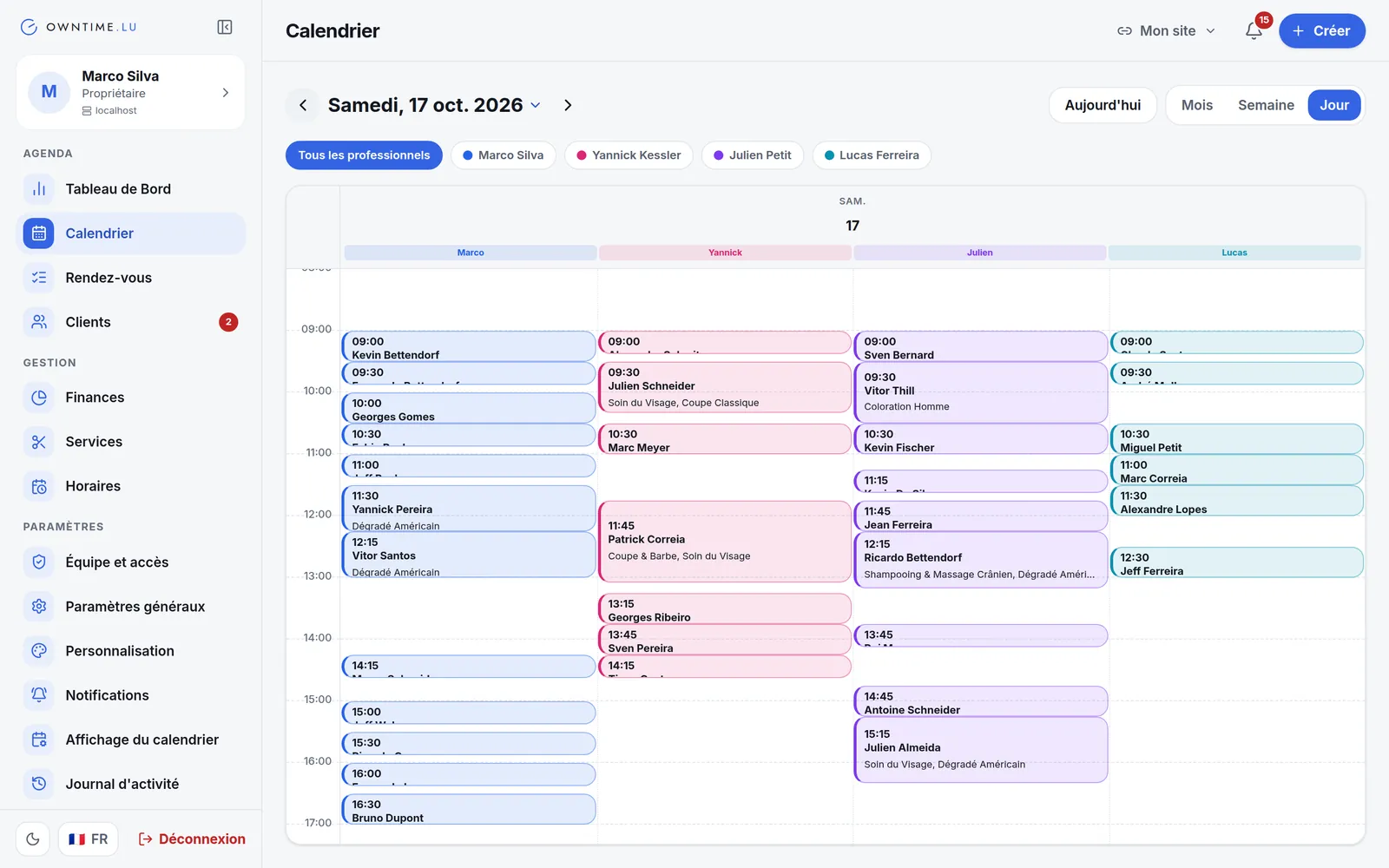
One team, one calendar per person
Each professional has their own hours, services and time off. The calendar shows them side by side, one colour per person, and everyone only reaches what their role allows.
Two colours. Everything else follows.
Pick two colours and the buttons, backgrounds and emails follow. Try a style below: the booking page changes its colours, font and shapes as you watch.
Presets by trade
Colours, fonts, shapes and decoration: you change them yourself, whenever you like.
Your appointment,
made simple.
Book in a few taps, straight from your phone or your computer.
Our services
Worked out the same way as on the platform. Your site gets this result without a line of code.
On your computer and on your phone
At the desk, the panel in your browser. Between clients, the app on your phone. Both show the same appointments, always up to date. Click below to see real screenshots.
The full panel, in the browser you already have: nothing to install, on a computer as well as a tablet. Pick a screen to see it.
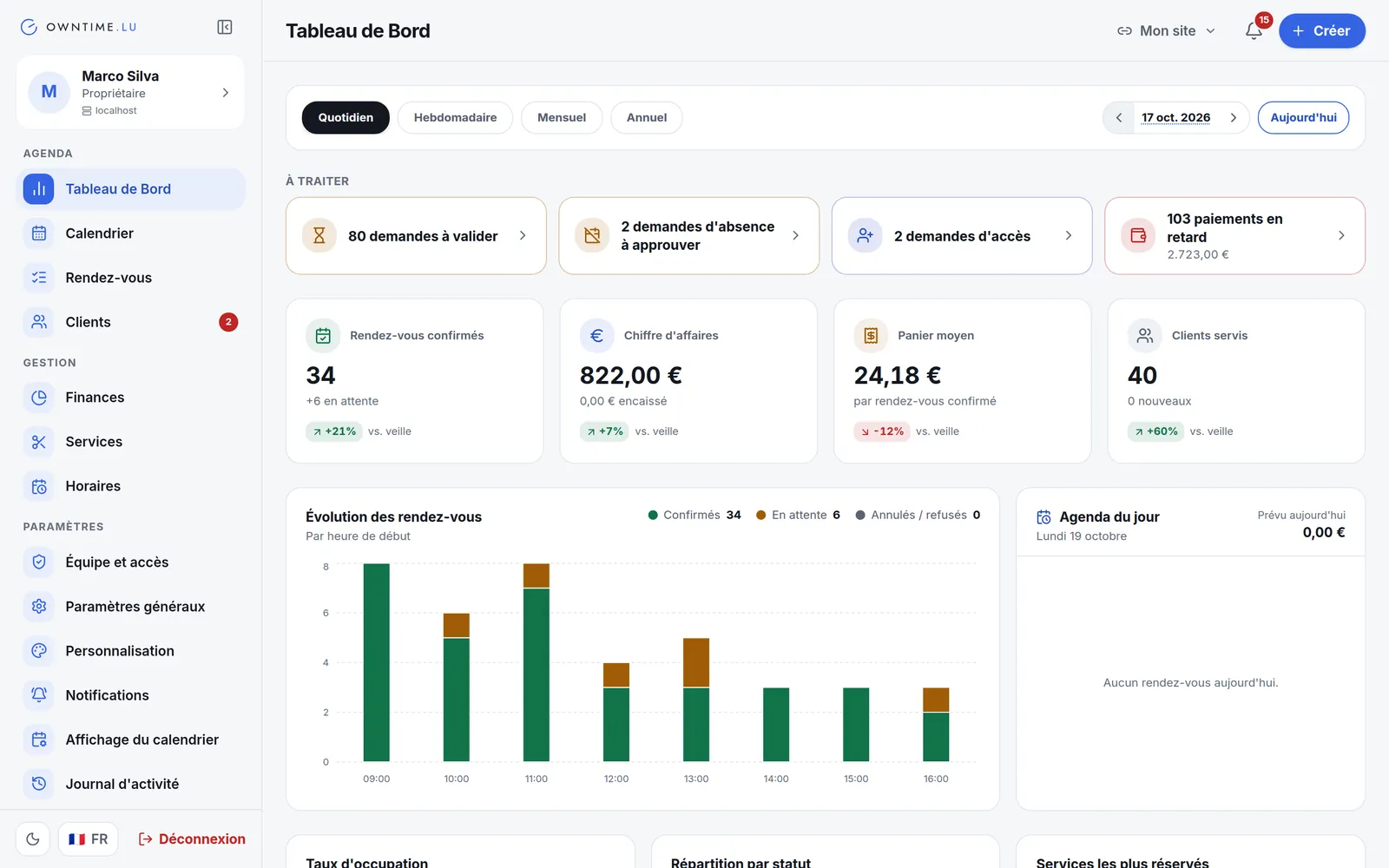
What needs you, first
Requests to confirm, date changes, time off and access to approve, overdue payments: everything waiting for a decision sits at the top. Below it, appointments, revenue, average ticket and occupancy rate, compared with the previous period.
The whole team, side by side
Day, week or month view, one colour per professional. Clicking a free time opens a pre-filled appointment; a clash warns you instead of blocking you.
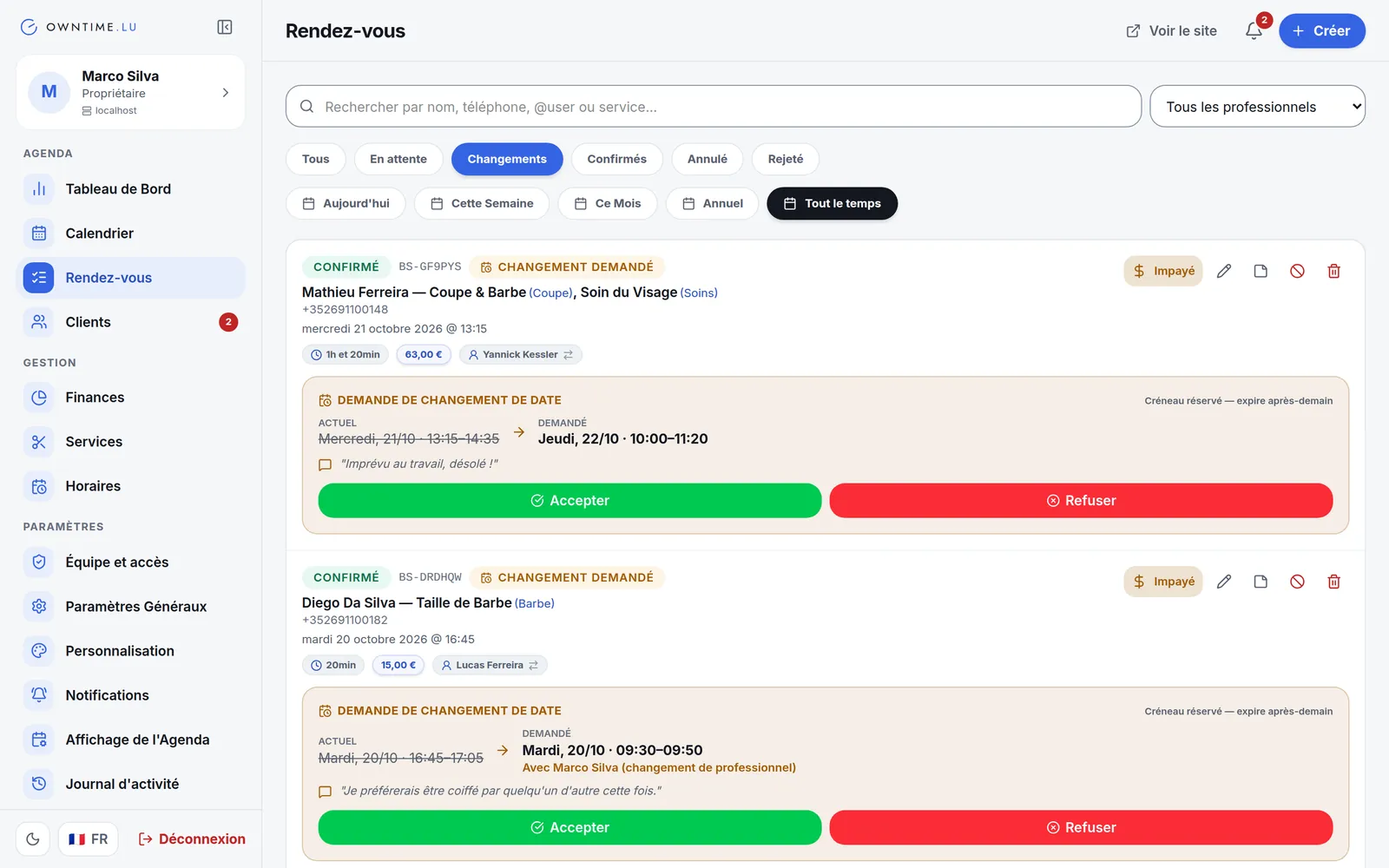
The client proposes, you decide
The client asks for another date — sometimes with another professional. The new slot is held for them and the original one stays valid until you answer: accept or decline in one click, and they are told.
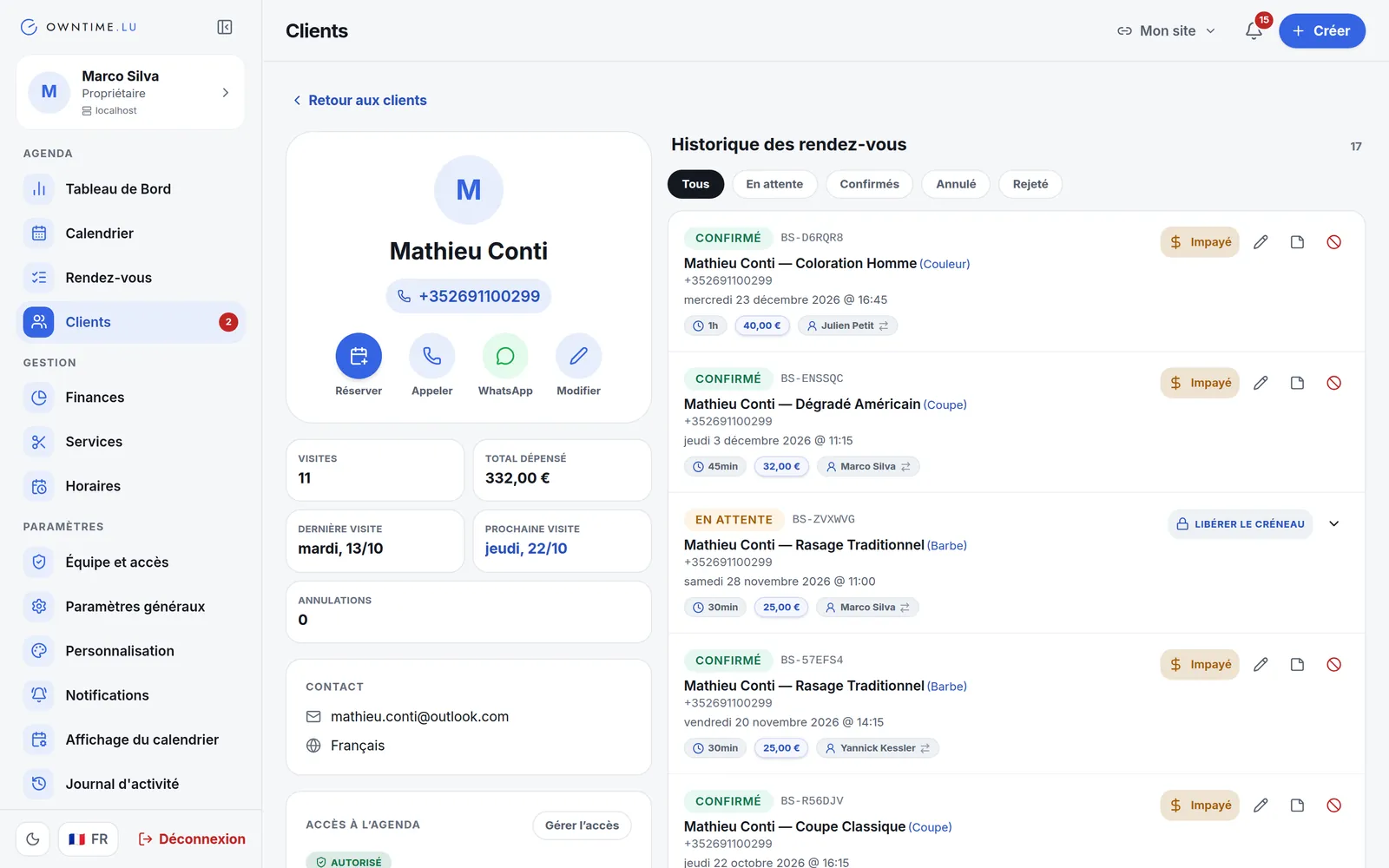
A person's whole story
Visits, total spent, last and next visit, contact details, private-calendar access and full history, filterable by status. Book, call or message on WhatsApp in one tap.
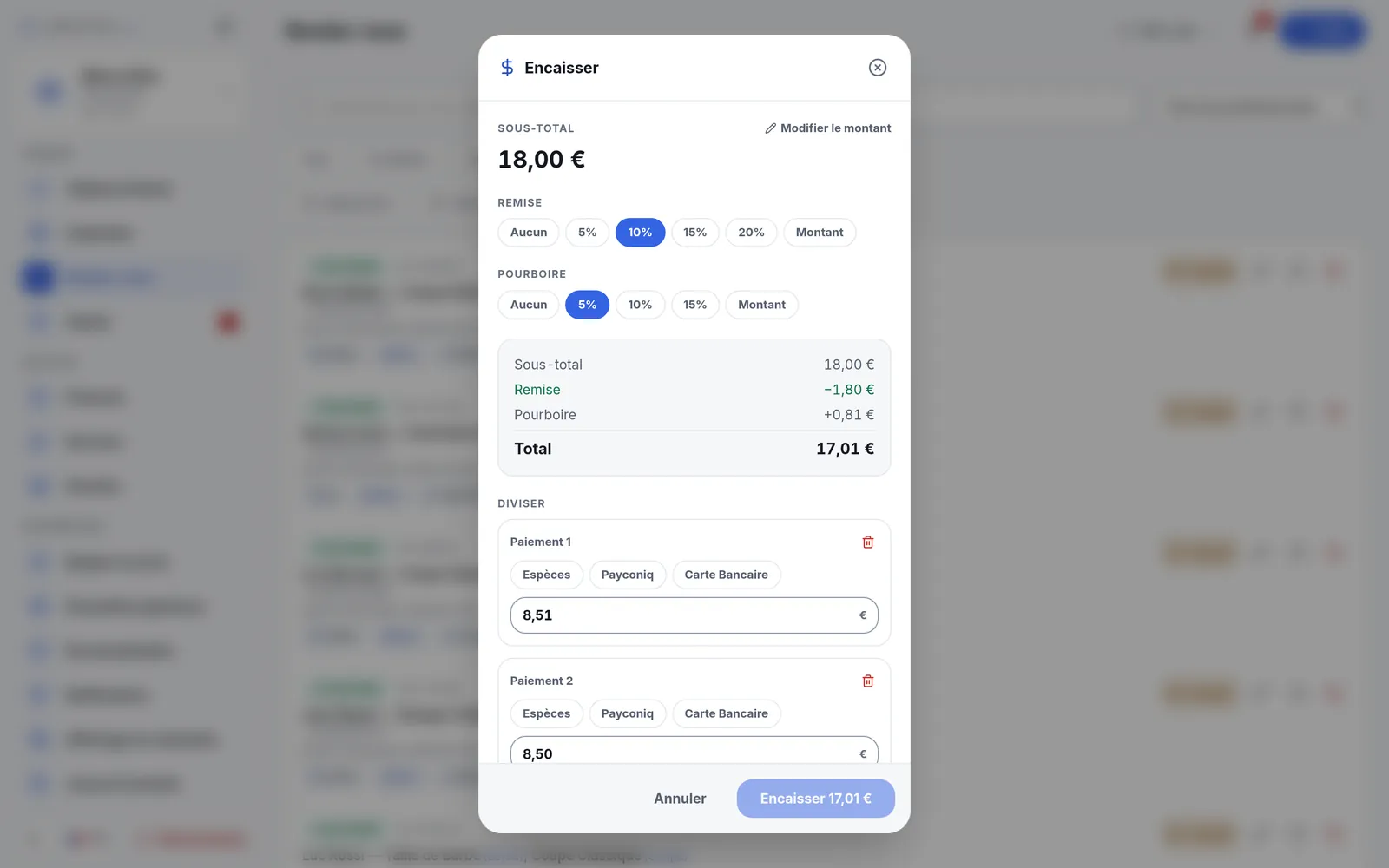
Checkout, discount and tip included
Discount as a percentage or an amount, tips kept apart from revenue, and payments split across several methods — cash, card, Payconiq. The receipt goes out by WhatsApp or email, and the finances follow on their own.
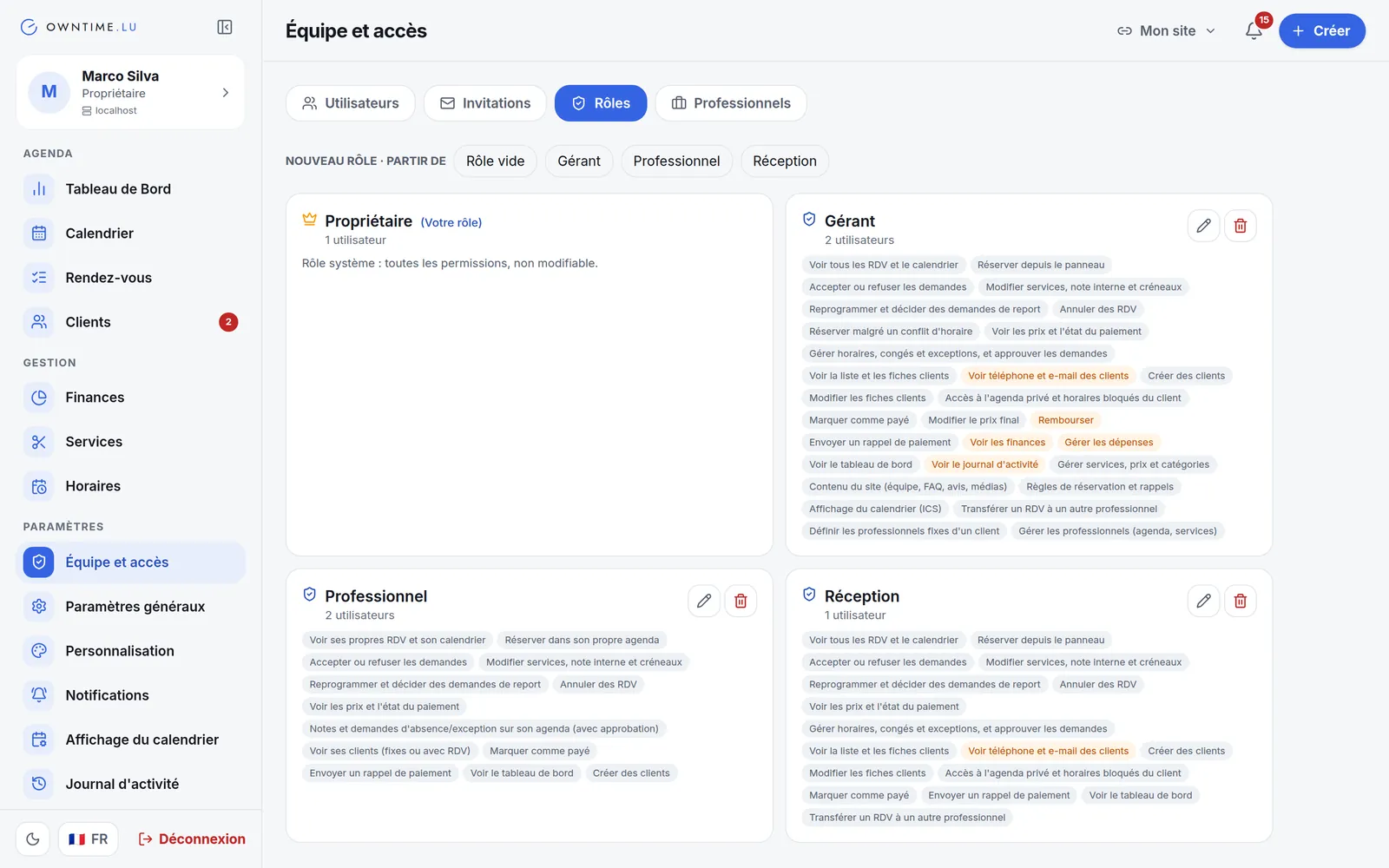
Every role, its own rights
Four ready-made roles and as many custom ones as you like. Permissions are set action by action, and the ones touching sensitive data are flagged.
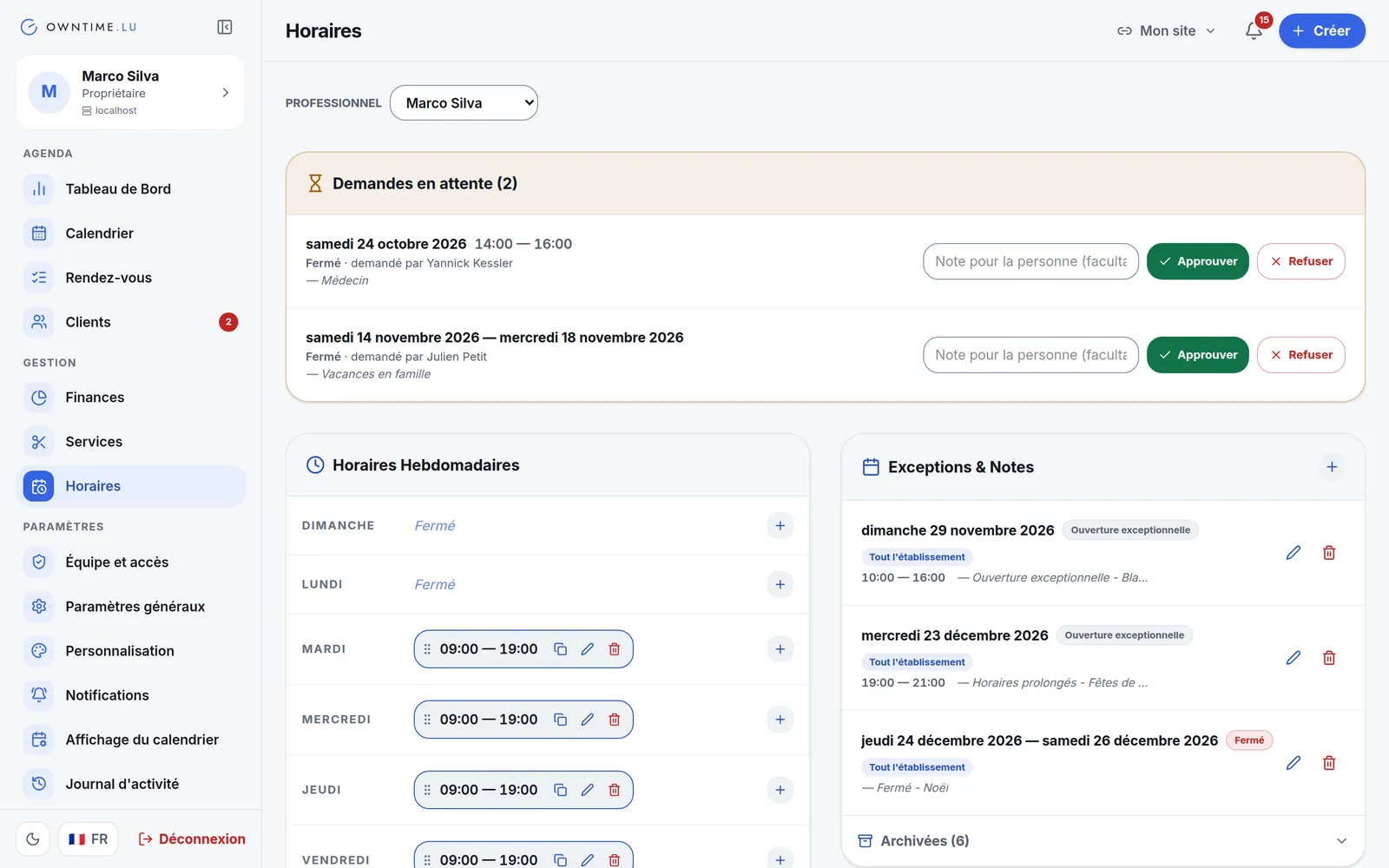
Hours, time off and requests
Each professional's hours, copied from one day to another. Closing a day that already has bookings? They show up straight away: hand them to a colleague or cancel them and let the clients know. Plus time-off requests to approve, with a note.
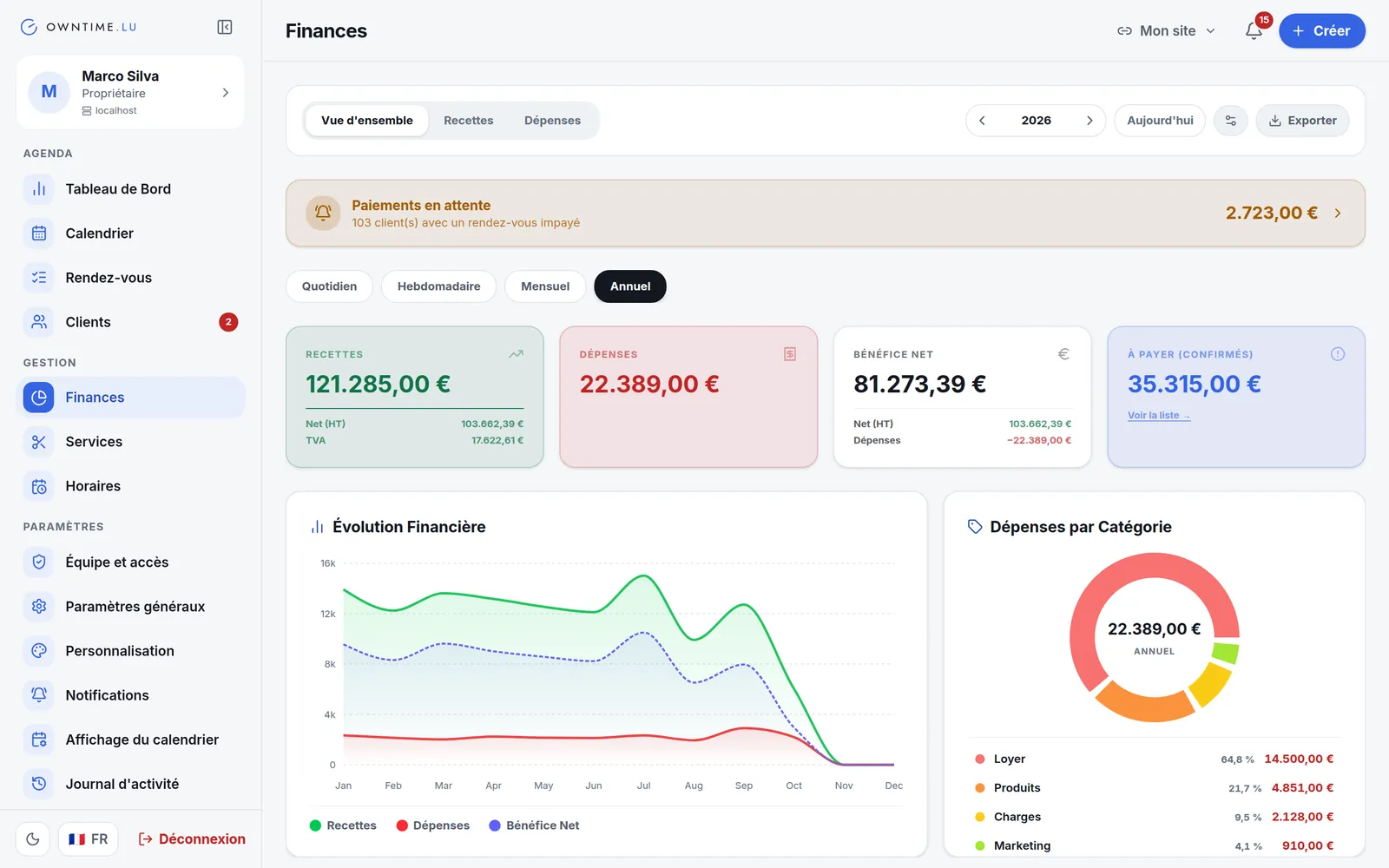
Your accounts, live
Collected, outstanding and forecast. VAT per service, tips kept apart, one-off or recurring expenses, and an accounting export as a spreadsheet.
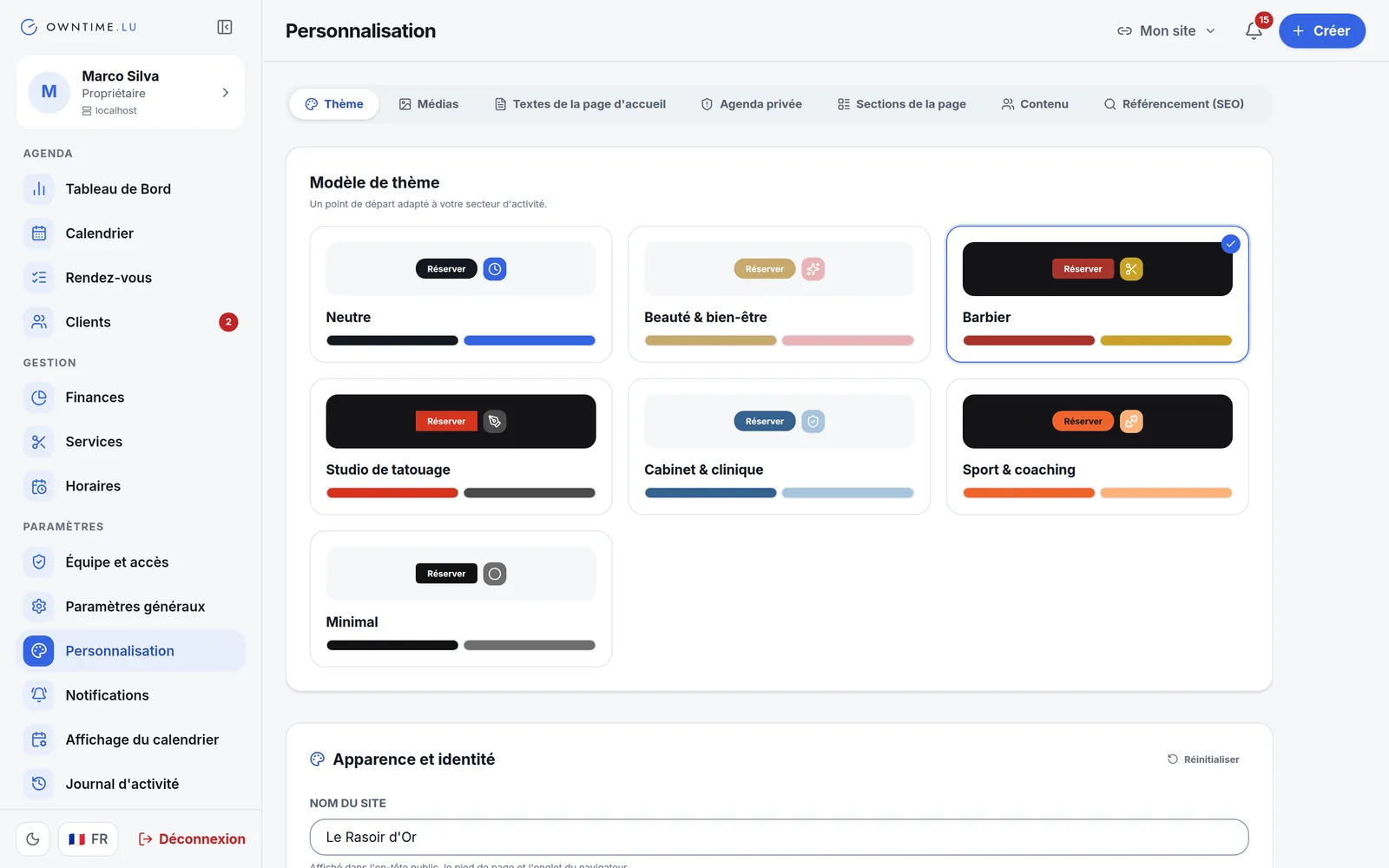
Seven trade presets
One click sets the colours, fonts and shapes of your trade; after that every setting stays editable, from the home-page texts to search engine optimisation.
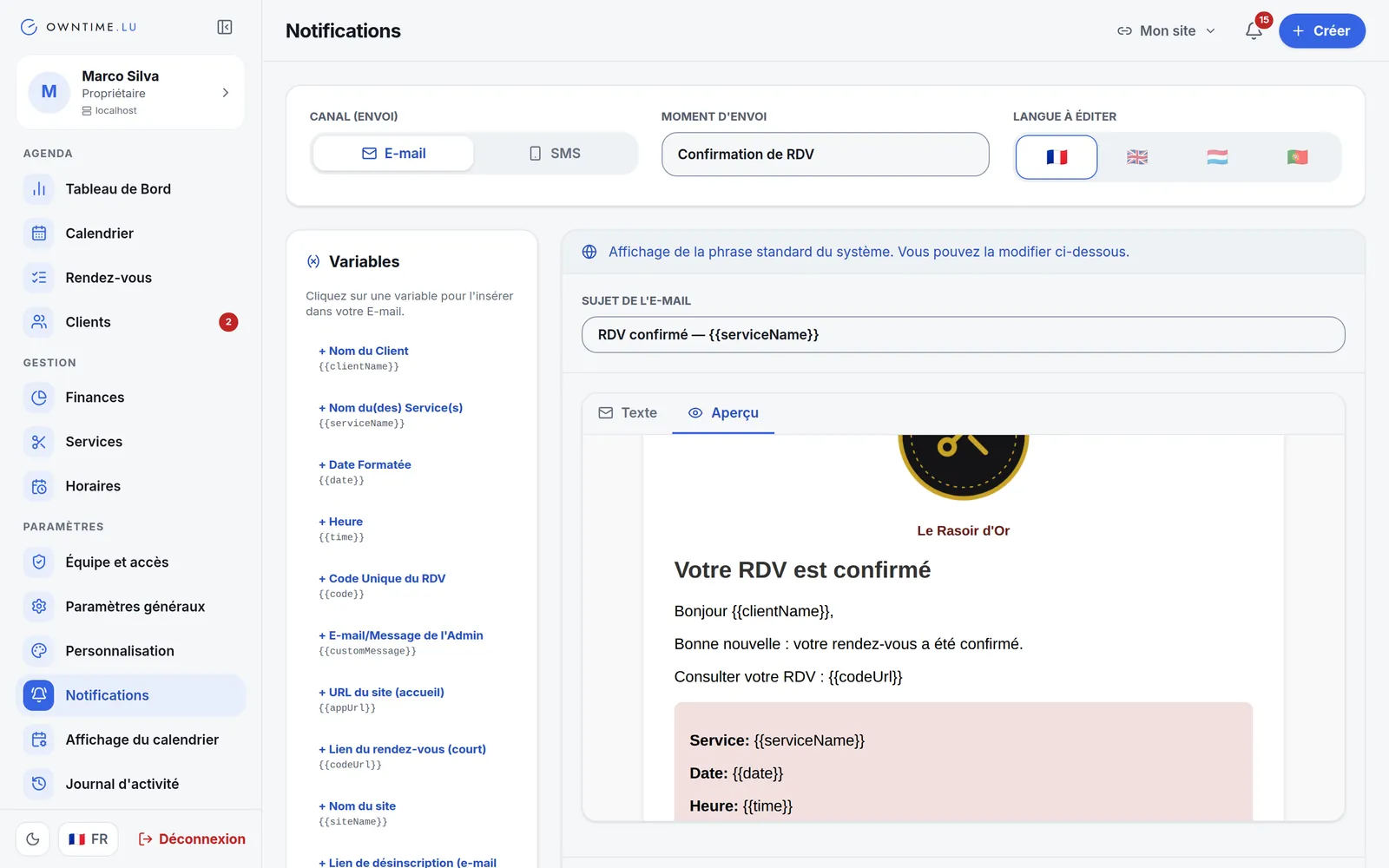
Your messages, in your colours
Confirmations, reminders, date changes, payment reminders: every email and SMS can be edited in all four languages. For emails you just write the title and the message; your logo and colours are added for you, with a preview.
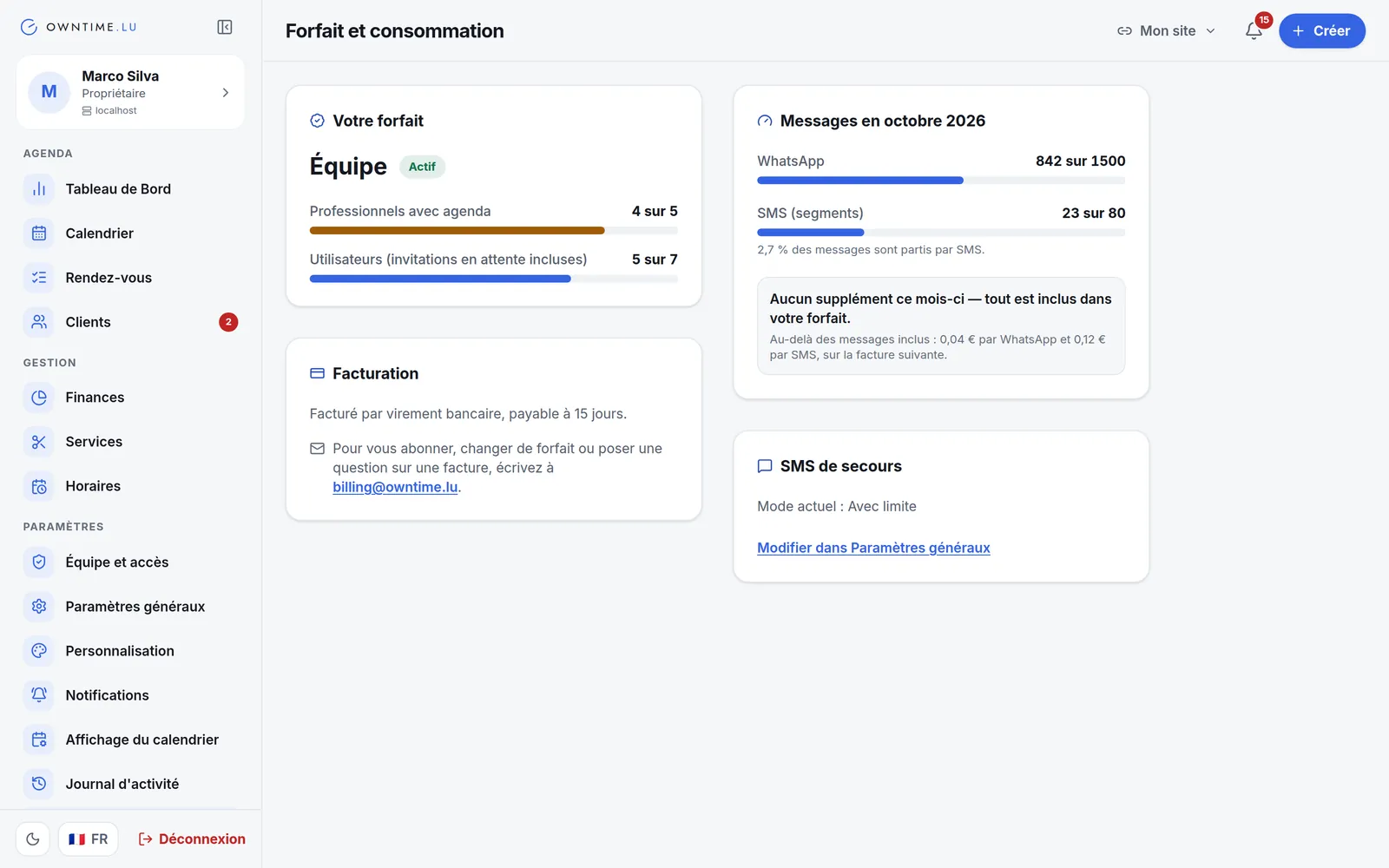
No surprises on the invoice
Your plan, how many professionals and users it includes, and this month's WhatsApp and SMS messages, always in view. You get an alert at 80% and 100%, and you decide whether the backup SMS is off, capped or always on.
A native iOS and Android app comes with your installation: same account, same data, designed for your thumb. Pick a screen to see it.
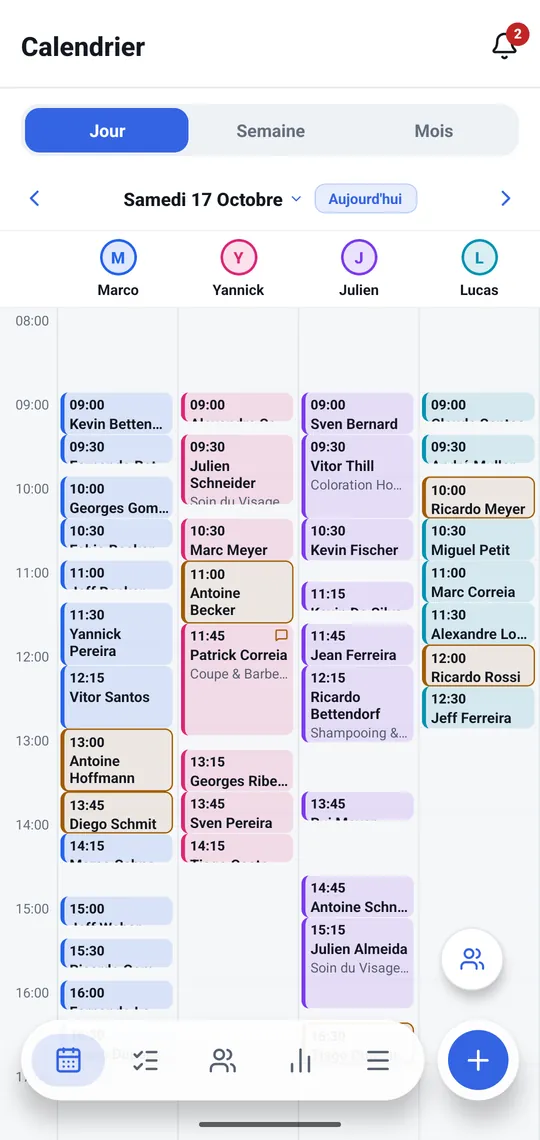
The whole team's day
Day view per professional, week or month. Every block has the appointment's real length; an icon flags a client comment. The "+" creates an appointment, a note or time off.
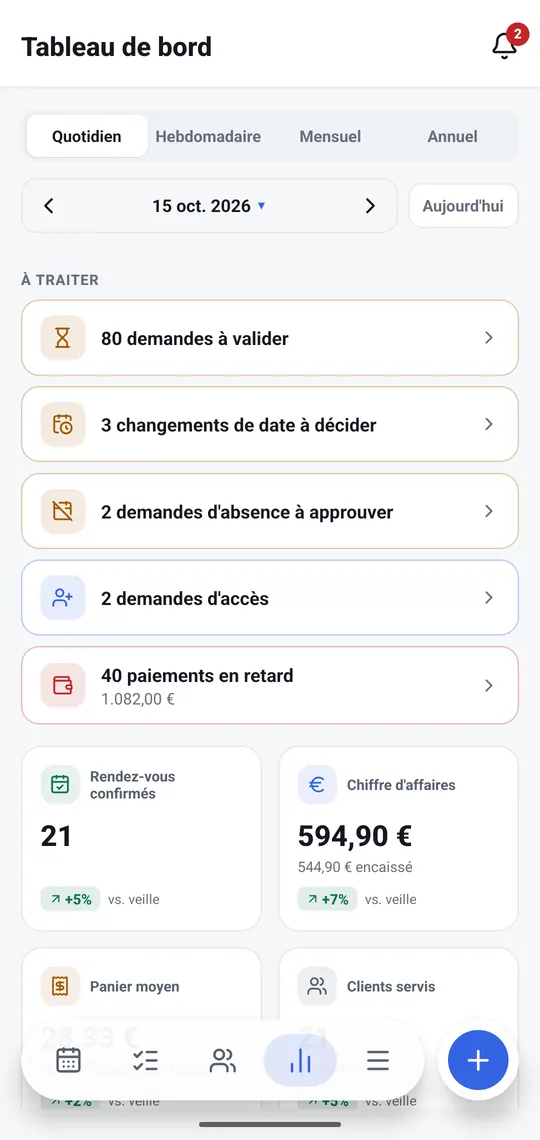
Your day on one screen
What is waiting for a decision, then the numbers: appointments, revenue, average ticket, clients served. By day, week, month or year.
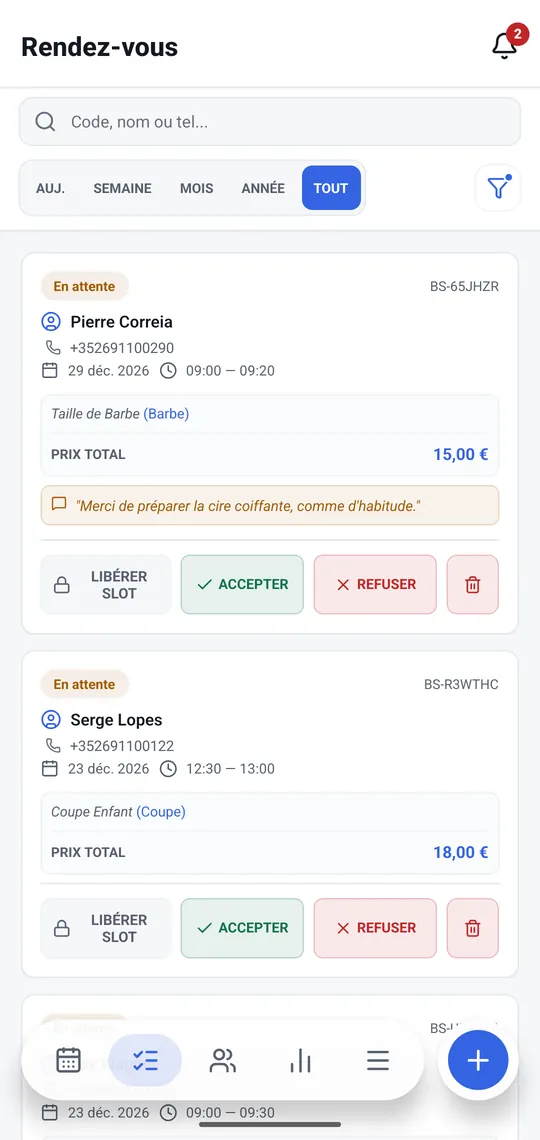
Accept or decline in two taps
Every request arrives with the client, the time, the service and their comment. Accept, decline or release the slot — and the client is told in their own language.
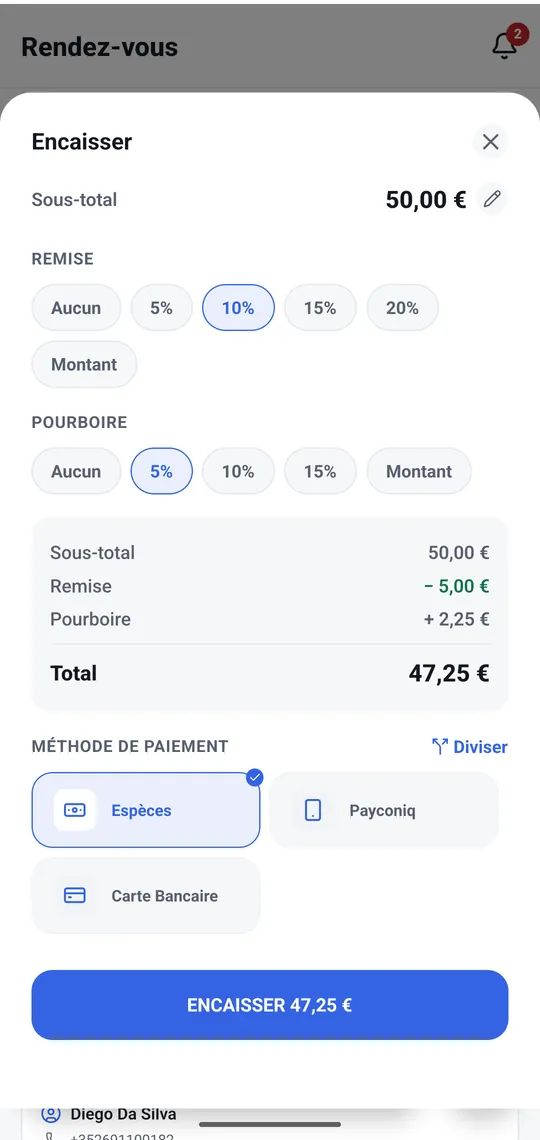
Check out at the counter
Discount, tip, payment split across methods: the bill is closed from the phone, and the finances are up to date on the computer within a second.
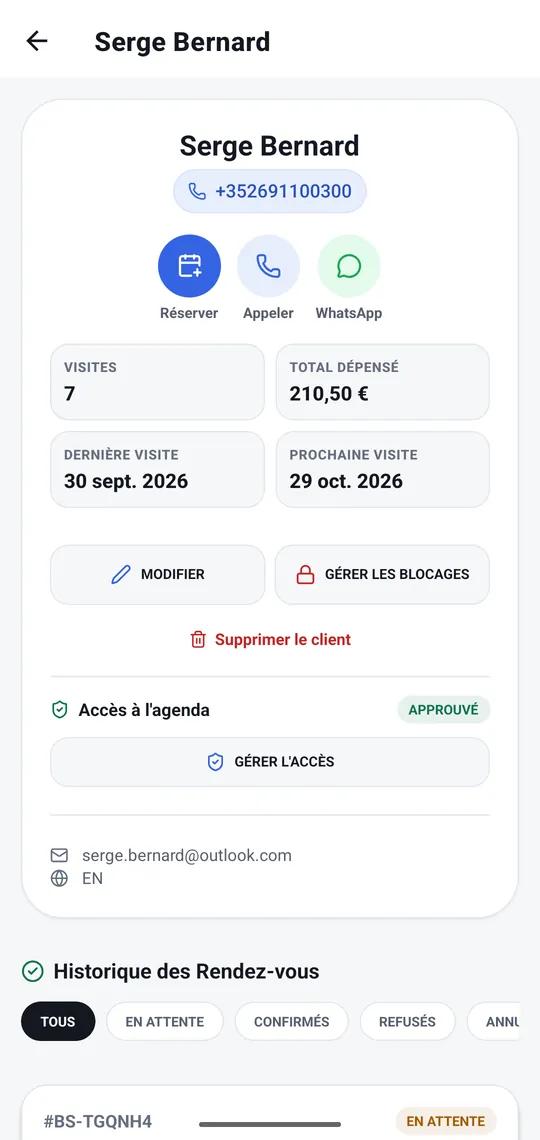
A person's whole story
Visits, total spent, next visit, calendar access, blocks and full history. Tap the number to call, or open WhatsApp.
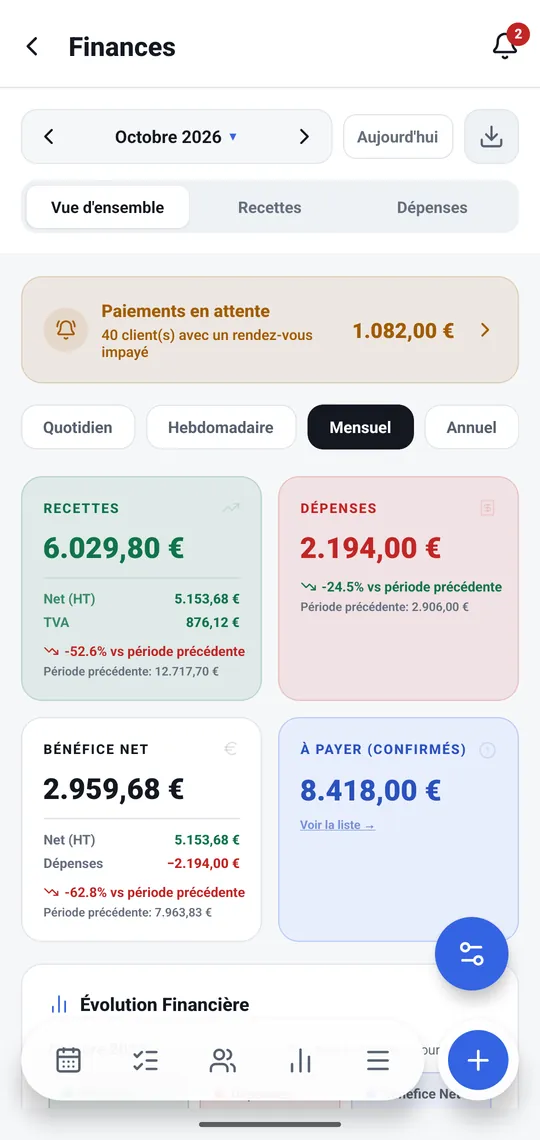
Your accounts, no computer needed
Income, expenses, VAT and net profit compared with the previous period, with charts you scrub with a finger. The accounting export goes out from the phone.
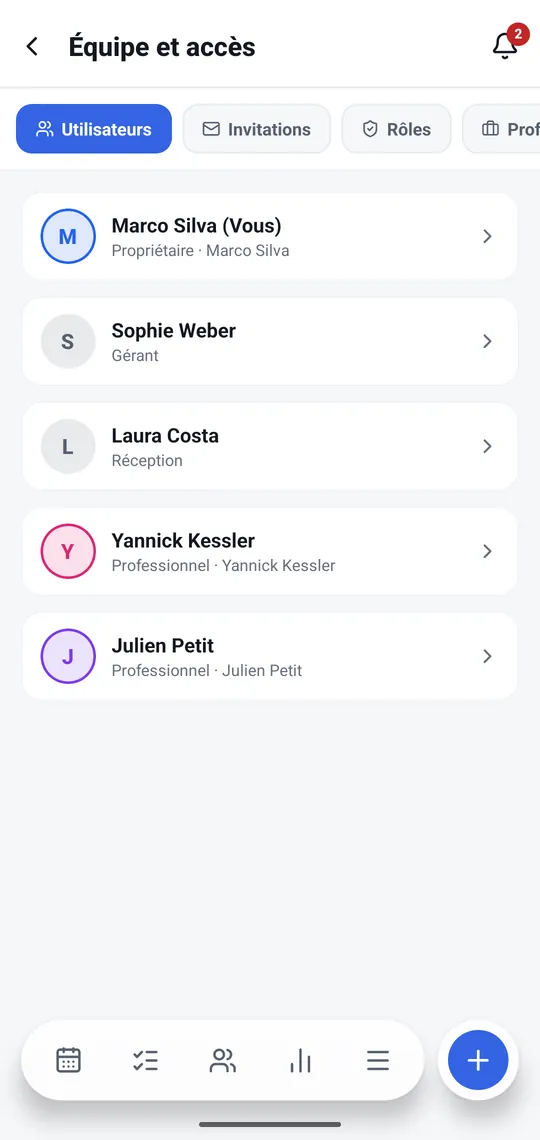
The team, in your pocket too
Invite someone, change a role, approve time off or switch off an account: running the team doesn't have to wait until you're at the desk.
- Native on iOS and Android, included with your installation
- A notification as soon as a request arrives, even with the app closed
- Synced live: what changes on the phone shows up on the computer at once
- Unlock with fingerprint or face, second factor included
- Works even without signal, thanks to the app's cache
- Your four languages, light or dark mode following your phone
Real captures of the platform. The names and amounts shown are demonstration data.
Booking takes less than two minutes
Your clients arrive through a link you share. They pick their services, their professional and a time that is really free, then manage their appointment themselves. No account to create, nothing to install.
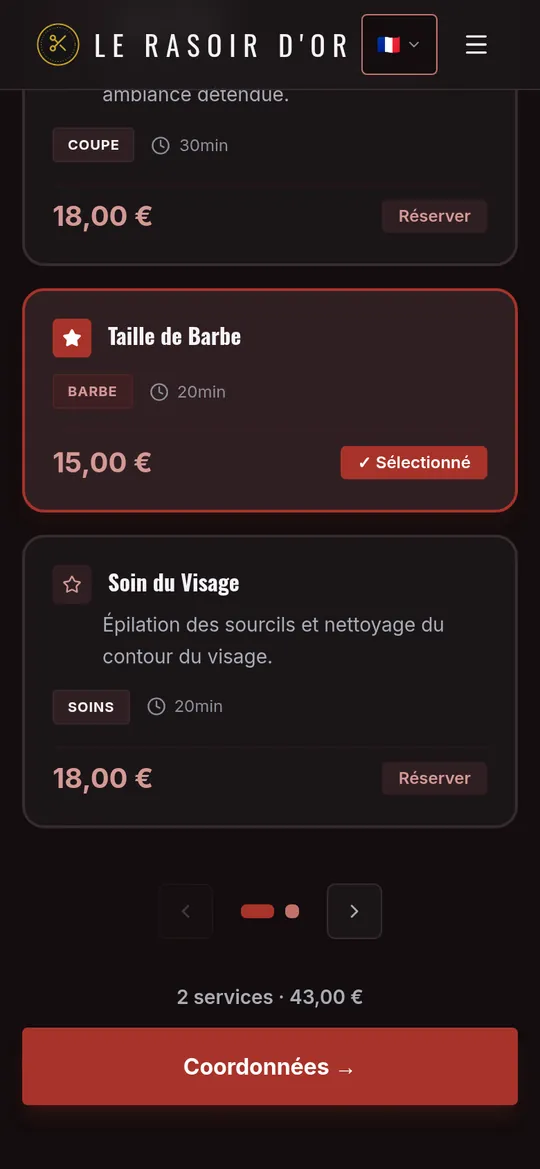
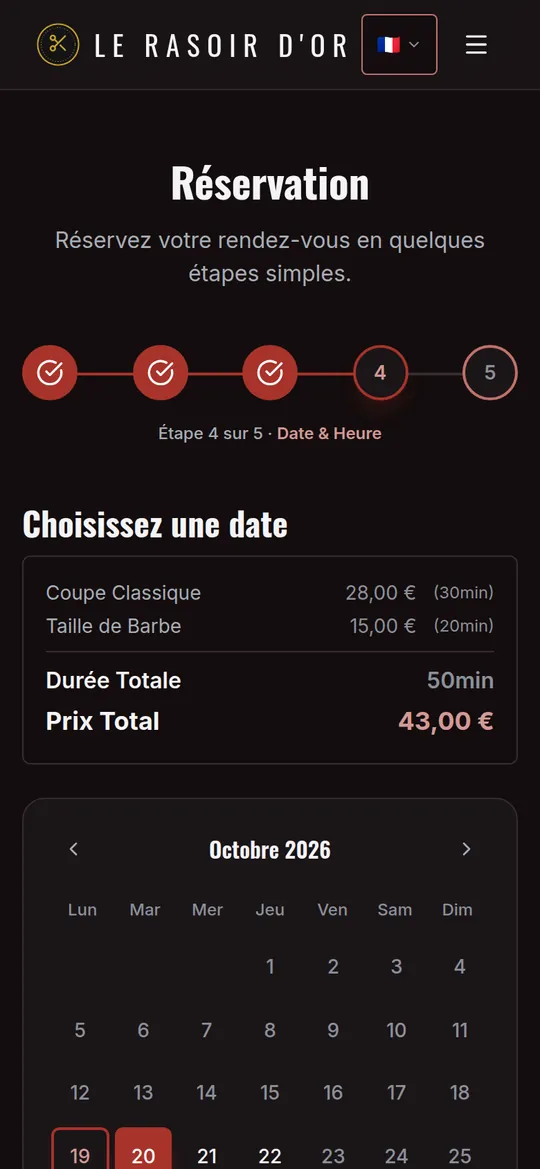
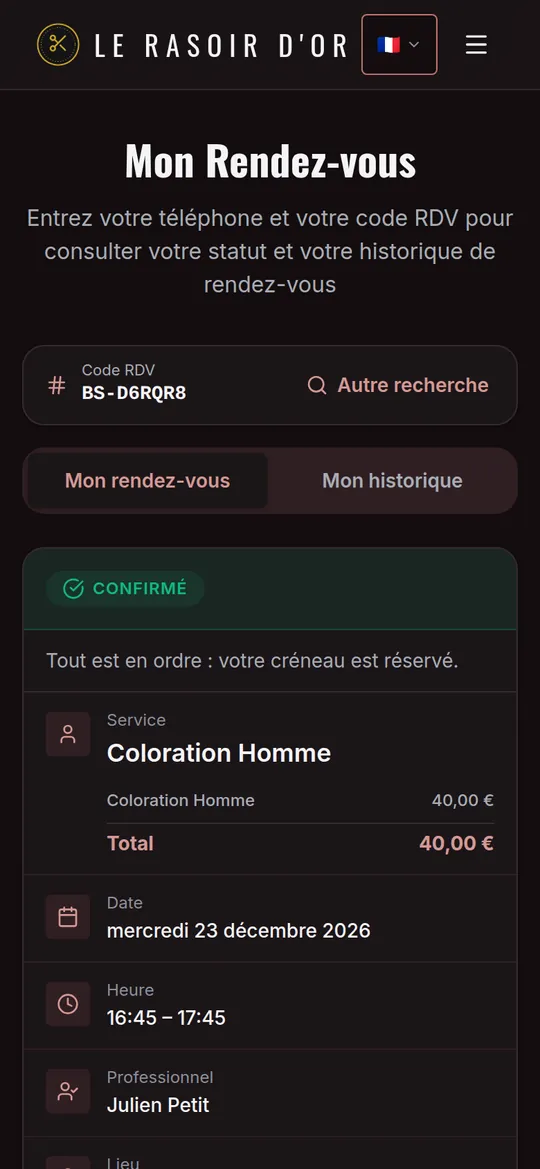
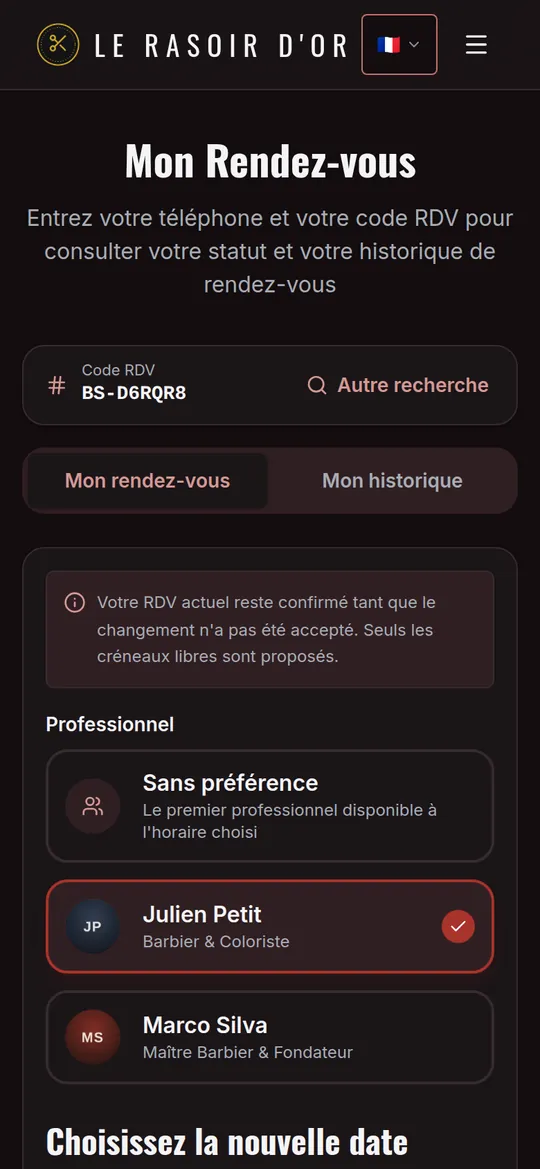
Real screenshots of a demo business, on a phone.
What the platform does for you
Every feature is included in every plan: Solo, Team or Studio. Only the number of professionals and included messages changes — let's talk about it.
Online booking
Your clients book on their own, day and night, without messaging you.
Your calendar
A clear view of your days, and full control over them.
On your own or as a team
Working alone? Everything stays simple. A team? Everyone gets their own calendar and access.
Date changes
The client proposes another date; you accept or decline.
Automatic messages
Confirmations and reminders sent without you thinking about it.
Checkout
Close the bill at the counter, on the computer or the phone.
Dashboard and accounts
What comes in, what goes out, what's left, live.
Outstanding payments
The list of who hasn't paid yet, with a button to send a reminder.
Your clients
One profile per person, with their whole history.
Your usual calendar
Your appointments also land in the calendar you already use.
Customisation
Your clients see your brand, never a piece of software.
Security and privacy
Your clients' data is protected and you stay in control of everything.
Test mode
Do a dry run before you open: messages reach only you, and test bookings are deleted in one tap.
Usage at a glance
This month's messages and your plan limits on one screen, with an alert before you run out.
Regulars, no waiting
Clients who have been before and paid are confirmed straight away. Only new clients wait for your answer.
Four steps, then you're in charge
We set up your platform and train you to use it. After that, you adjust it yourself whenever you like, guided by an illustrated step-by-step manual and the “Getting started” card on your dashboard. If you get stuck, we're a message away.
We set up your space
Your booking site and your calendar are created under your name, kept separate from every other business.
We train you
Together we go through the settings: services, prices, hours, colours and team. You learn on your own business, not on a demo.
You adjust it your way
A price changes, your hours move, you have a new photo? You do it yourself in a few minutes, without going through us.
You share the link
First, a dry run in test mode. Then the link on Instagram, WhatsApp and Google, and the QR code on your counter. Bookings come in, and you follow everything from your computer or phone.
Your data, and your clients'
You trust us with names, phone numbers and appointments. Here is how we protect them.
What we get asked most
Do I have to install software?
No. Everything runs in the browser you already have, on a computer as well as a phone. You also get the iOS and Android app, which tells you the moment a request comes in — and your clients have nothing to install at all.
Is this only for beauty salons?
No, and it hasn't been for a long time. Barber, tattoo artist, physiotherapist, coach, vet, consulting practice: if your day is made of appointments, the platform fits. Seven theme presets already exist, and all the wording — services, categories, durations, messages — is yours to define.
Do my clients have to create an account?
No, and that is deliberate: an account to create scares people off. They give their name and their number, that's all. To review or cancel an appointment, they use their number and the code from the confirmation message.
Will the site carry my name or yours?
Yours, from beginning to end. Name, tagline, logo, favicon, colours, typefaces, copy and even which sections the home page shows all belong to you. The OwnTime name never appears in front of your clients, neither on the site nor in the emails.
What if a client has no WhatsApp?
The message goes out as an SMS. The system tries WhatsApp and switches over on its own if it doesn't get through; you only choose whether that backup SMS is always on, capped per month or off. If the client gave an email address, they get the message by email too.
Can I block out my holidays or an afternoon?
Yes. You can close a whole day, a week of holiday or just a few hours, for the whole business or one person. Those times vanish from your clients' calendar immediately. And if bookings already existed, the app shows them to you: hand them to a colleague or cancel them and let the clients know.
Who can see my clients' data?
You, and the people you give access to, with only what their role allows: a team member can be limited to their own clients, without phone numbers or prices. Your space is kept apart from other businesses. The data is never sold or used for advertising.
What if I'm not comfortable with computers?
That's what the training is for. We set the platform up, then show you step by step how to adjust your services, hours and colours. Day to day, most of the work is accepting or declining requests. And if you get stuck, you write to us.
There are several of us: does everyone get their own calendar?
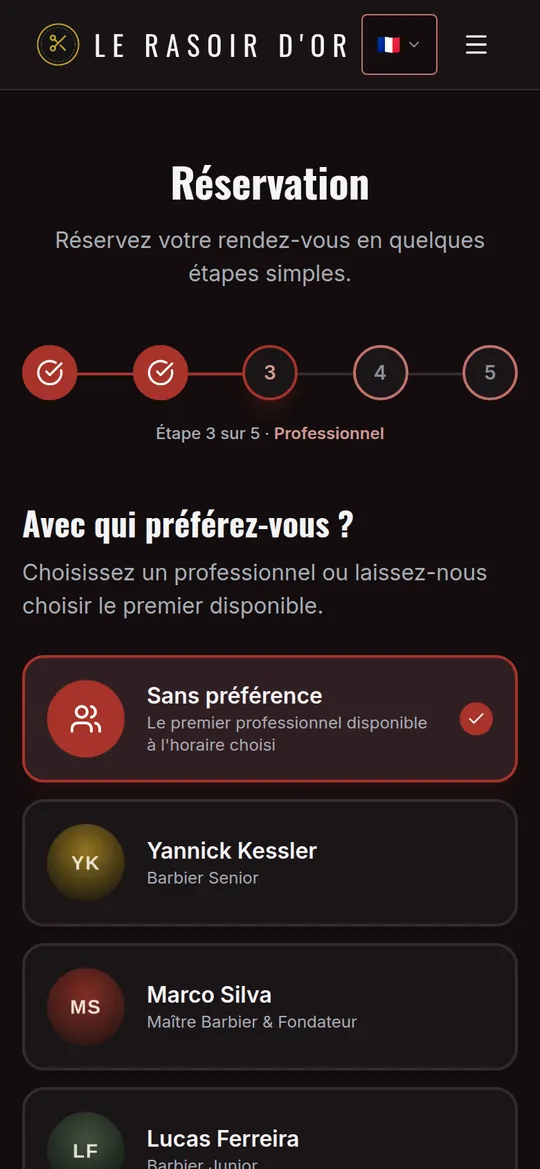
Yes. Each professional has their own hours, services, time off and login, with the role you choose — owner, manager, front desk, professional or a custom role. Clients book with the person they prefer, or "no preference" for the first one available.
Can a client change the date themselves?
Yes, from "My appointment", with their number and code. They choose a new free date — even with another professional — and you accept or decline. Their current appointment stays guaranteed until you answer, and you set the minimum notice and how many changes are allowed.
Can I keep my calendar for my regular clients?
Yes, with the private calendar. Clients you know book as usual; a new visitor leaves their details and waits for your approval before seeing any slots. You can also withdraw someone's access, with a message they'll see on screen.
Calculated duration or fixed slots: which should I choose?
If your services vary in length (a cut, a colour, a treatment), go for calculated duration: a cut and a beard trim take 50 minutes, not an hour, and the calendar fills up without gaps. If you work in sessions of a fixed length, like consultations or classes, fixed slots give you a schedule you can read at a glance. You can switch modes at any time.
Do I need you for every change?
Not at all. After the training, you change your prices, hours, texts, photos and colours yourself, whenever you like. You can also add a colleague or close for a week in a few clicks. And whenever you have a question, we're happy to help.
Do you take a commission on bookings?
None at all. Your clients book on your own site, not on a platform that lists other businesses next to yours. You pay a fixed monthly fee based on your plan — Solo, Team or Studio, depending on team size — with messages included. Ask us for the price sheet.
Can I try everything without bothering my clients?
Yes, that's what test mode is for. While you set things up, every message a client would get lands on your phone and in your inbox instead, marked [TEST], so you see the exact wording before you open your calendar. Test bookings are flagged and deleted in one go when you switch to Production.
How much do WhatsApp and SMS messages cost?
Every plan includes a monthly allowance of WhatsApp messages and SMS. The Plan & usage screen shows where you stand, with an alert at 80% and 100%. On a paid plan, a confirmation is never held back because of the allowance, and the backup SMS — the expensive one — can be off, capped per month or always on: your call.
How do my clients find my link?
Your booking link is always at hand, in the app and on the computer: copy it, share it on WhatsApp or Instagram, or print the QR code for your counter and window. Add it to your Google Business Profile too: it's what helps people find you most.
Your calendar, your brand,
your time.
Tell us about your business and how many people work with you. We'll show you the platform in your colours and make you an offer, with no commitment.